

Key Takeaways
Why Service Records Are a Financial Asset
Most drivers treat maintenance receipts as paperwork to discard. In practice, a complete service history functions more like a financial document - one that affects warranty coverage, repair costs, and eventual resale proceeds.
Research from automotive valuation organizations consistently finds that verifiable maintenance records support stronger private-sale prices, particularly for older vehicles where mechanical condition is harder to assess. A buyer comparing two similar vehicles will generally pay more for the one with documentation, because it reduces their uncertainty about future costs.
Beyond resale, records serve you during ownership. When a mechanic can see exactly what was done and when, diagnosis is faster - which can reduce billable labor time. Records also reveal patterns: a vehicle that consistently needs the same repair may indicate an underlying issue worth addressing before it escalates. Preventive maintenance and its effect on long-term costs is easier to evaluate when you have actual cost data from your own vehicle.
Warranty Claims Depend on Proof of Service
Most new-vehicle limited warranties and extended service contracts require you to demonstrate that maintenance was performed at manufacturer-specified intervals. Without receipts or shop records, a warranty claim can be denied - even if the failure is unrelated to a missed service. Always retain dated, itemized documentation for every service visit, and store copies in more than one location.
For drivers new to vehicle ownership, establishing a documentation habit from the first service visit pays compounding dividends. A first-year maintenance roadmap can help you build the right habits before gaps develop.
What You Need and How to Get Started
Setting up a service history system requires minimal time and no specialized tools. The components below cover both physical and digital approaches - use what suits your habits.
What you will need
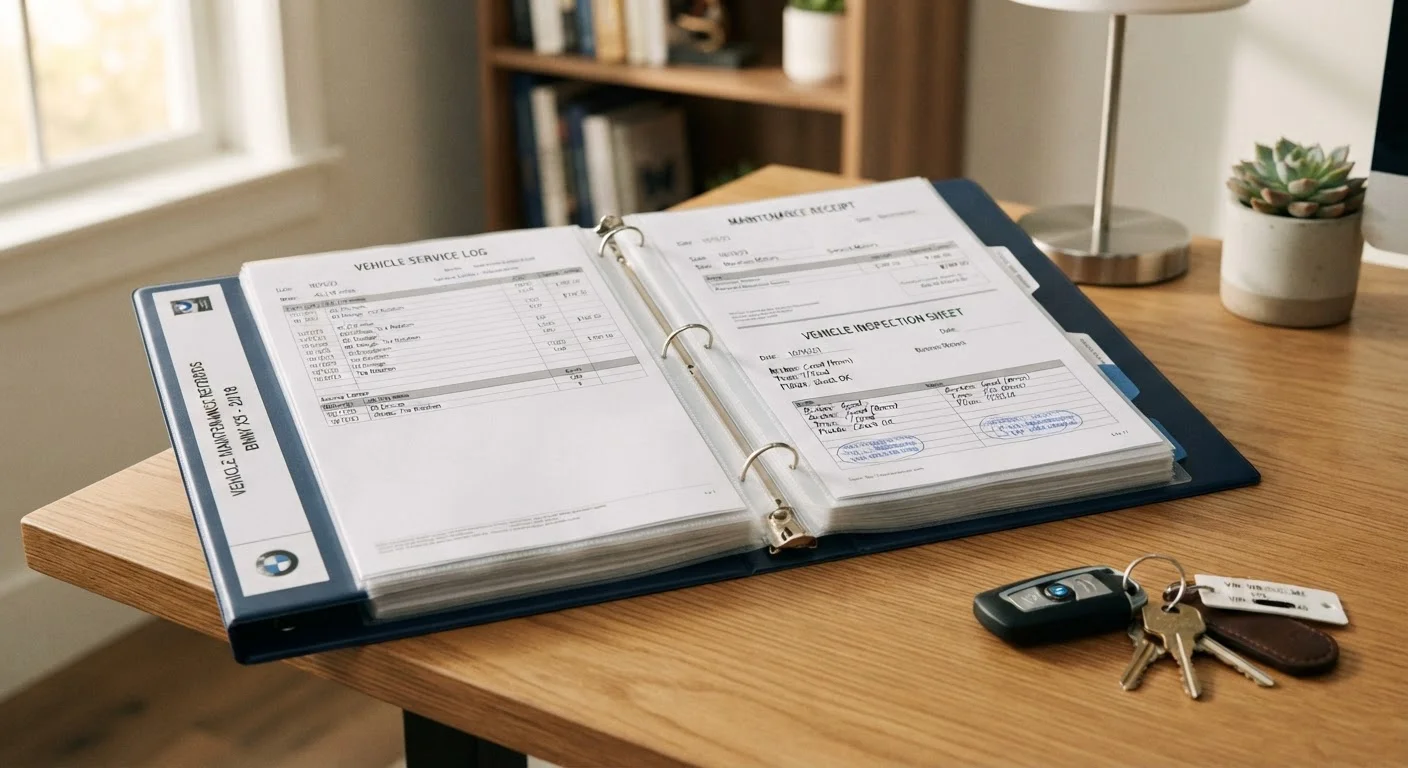
Physical binder or accordion folder
Store paper receipts, inspection reports, and owner's manual in one portable location.
Cloud storage or note-taking app
Keep digital copies of receipts and a running service log accessible from any device.
Smartphone camera
Photograph fading thermal receipts immediately after service to preserve a legible copy.
Spreadsheet (e.g., any free spreadsheet tool)
Track service dates, mileage, work performed, parts used, and costs in a searchable format.
Vehicle history report (at purchase)
Establish a baseline of prior service and accident history when acquiring a used vehicle.
Don't Rely on a Dealership's System Alone
Some drivers assume their dealership maintains a complete electronic record on their behalf. In practice, records may not transfer if you switch service providers, the dealership closes, or the software system changes. Keep your own independent copy - paper or digital - regardless of what the shop retains.
Photograph Receipts Before Filing
Thermal paper receipts commonly used by repair shops fade within a few years. Snap a photo of each receipt immediately after a service visit and save it to a dedicated cloud folder. This takes under a minute and protects records that might otherwise become unreadable before you sell the vehicle.
Gather All Existing Records
Before building a system, collect what you already have. Search your email inbox for service confirmations, check your glove compartment for paper receipts, and contact any shops you've used regularly - many retain service records for several years and can provide printed or emailed summaries on request.
If you recently purchased a used vehicle, a vehicle history report (obtained through the VIN) can help fill in documented service events from prior owners. This baseline is important: buyers and appraisers often scrutinize gaps in history, so knowing what's missing lets you address it proactively.
Choose a Logging Format That You'll Actually Use
The best system is the one you maintain consistently. Options range from a physical accordion folder kept in the vehicle to a spreadsheet in cloud storage or a dedicated note in a mobile app. Neither format is inherently superior - what matters is that every service event gets recorded promptly.
A basic log entry should capture: date of service, odometer reading, work performed, parts replaced (including brand and part number where relevant), labor and parts costs, and the name of the shop or technician. This data becomes a useful budgeting tool over time, helping you anticipate upcoming expenses. For more context on how servicing decisions affect your total costs, see why maintenance bills often run higher than expected.
Record Every Service Event - Including DIY Work
Shop receipts document professional service automatically, but self-performed maintenance is easily overlooked. If you change your own oil, replace an air filter, or rotate tires at home, log it with the same fields: date, mileage, materials used (including product specifications), and cost. Retain purchase receipts for parts and fluids.
This matters for two reasons. First, it keeps your maintenance intervals accurate - skipping a self-performed service in your log can cause you to double-service or miss the next interval. Second, if a warranty dispute arises, documented DIY maintenance with receipts for the correct specification materials can support your case, though outcomes vary by manufacturer and contract terms.
Store Records in at Least Two Locations
A single copy - whether a folder in the glovebox or a file on one device - creates a single point of failure. Vehicle theft, a house fire, or a crashed hard drive can eliminate records you've spent years building. Maintain at minimum a physical set and a digital set, or two cloud-synchronized copies.
For physical copies, a dedicated binder stored at home (not in the vehicle) is more secure than keeping everything in the glove compartment, where it could be lost with the car. For digital copies, a cloud folder synchronized automatically each time you add a photo ensures you never need to manually back up.
Cross-Reference Your Log Against the Manufacturer Schedule
At least once a year, compare your service log against the manufacturer's recommended maintenance schedule in your owner's manual. This review surfaces any intervals you've missed, helps you anticipate upcoming services, and gives you an accurate picture of your vehicle's maintenance standing.
Manufacturer intervals and mechanic recommendations don't always align - understanding why helps you make informed decisions rather than defaulting to whichever is more convenient. Understanding the difference between manufacturer and mechanic schedules can clarify when to follow each source.
Present Records Strategically at Resale or Trade-In
When selling privately or trading in, organize your records chronologically and highlight consistent adherence to manufacturer intervals. A complete, legible history signals lower risk to buyers and appraisers - and can support a stronger asking price, though actual outcomes depend on market conditions and the buyer's priorities.
Private buyers tend to scrutinize records more carefully than dealerships trading in vehicles at volume, but both audiences respond positively to documentation. Presenting records proactively - rather than producing them only when asked - projects confidence and reduces negotiating friction. A well-maintained vehicle history is one component of keeping total ownership costs manageable across the vehicle's full life.
This article provides general informational guidance on vehicle maintenance documentation and is not a substitute for advice from a qualified mechanic or legal counsel regarding warranty terms. Warranty coverage terms vary by manufacturer and contract - review your specific agreement or contact the issuing party for details applicable to your situation.