

| Alert delivery methods | Email, push notification (app), or SMS depending on the tool |
| Typical crawl frequency | Every 1–24 hours, varies by platform |
| Alert scope | Usually route-based; some tools support cabin class or airline filters |
| Mistake fare window | Often corrected within 1–6 hours of appearing |
| Cost to use | Most fare alert tools offer a free tier; advanced features may require a paid plan |
| Budget carrier coverage | Many ultra-low-cost carriers opt out of aggregators; check direct airline sites separately |
How Fare Alert Systems Work
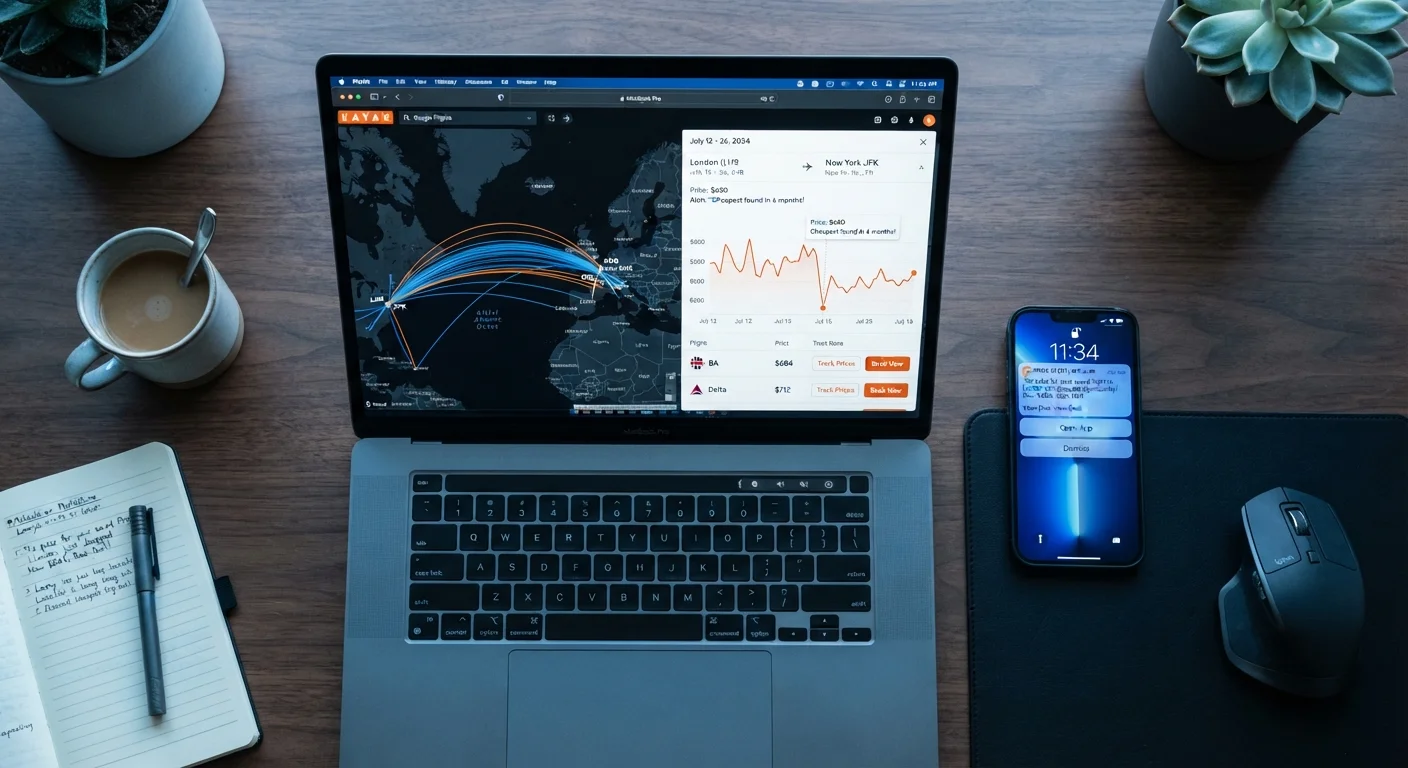
A fare alert is an automated notification triggered when a flight price crosses a threshold you've defined — or when a tracked route drops significantly from its observed range. Understanding the mechanics helps you configure alerts that are actually useful rather than overwhelming your inbox.
| Alert delivery methods | Email, push notification (app), or SMS depending on the tool |
| Typical crawl frequency | Every 1–24 hours, varies by platform |
| Alert scope | Usually route-based; some tools support cabin class or airline filters |
| Mistake fare window | Often corrected within 1–6 hours of appearing |
| Cost to use | Most fare alert tools offer a free tier; advanced features may require a paid plan |
| Budget carrier coverage | Many ultra-low-cost carriers opt out of aggregators; check direct airline sites separately |
Most alert systems follow a crawl-index-notify pipeline. A search engine or aggregator continuously queries airline and booking systems (via APIs or screen-scraping) and indexes the returned fares. When the indexed price for your saved route falls below your target or by a set percentage, the system sends an email or push notification. The alert speed varies: some systems update fares every few hours, others only daily. This lag matters — a mistake fare lasting 90 minutes may be gone before a slow system catches it.
Alerts are generally route-specific (origin, destination, date range) rather than seat-class specific, unless the tool supports fare-class filtering. For context on how booking classes affect the price you're actually seeing, see how fare classes work.
Types of Price Tracking Tools for Flights
Not all tracking tools are built the same. The major categories you'll encounter:
- Aggregator-based alerts: Built into flight meta-search platforms. You save a search and the platform monitors it. Coverage depends on which carriers the platform indexes — some budget airlines opt out of aggregators entirely.
- Dedicated fare alert services: Standalone tools focused entirely on tracking and notification. These often have broader airline coverage and more granular alert settings (e.g., one-way vs. round-trip, flexible date windows).
- Airline direct alerts: Many carriers offer price-watch or email-notification features on their own websites. These only cover that carrier's inventory but are useful if you have loyalty reasons to fly a specific airline.
- Browser extension trackers: Work at the booking level, flagging when prices rise or fall from a previously seen rate. More useful for retail than for flights, but some have limited flight capabilities.
For a deeper look at how individual flight search platforms differ in what they surface, see flight search tools compared. If you want to understand the broader landscape of price trackers beyond travel, how price tracking tools actually work is a useful companion read.
Fare Alert
An automated notification sent when a flight's price meets a predefined condition — such as dropping below a target price or falling by a set percentage. Alerts are typically delivered via email or push notification.
Price Crawl Frequency
How often a tracking tool queries airline and booking systems for updated fares. A tool that crawls every few hours will detect short-lived price drops faster than one that updates daily.
Mistake Fare
An unintentionally low price resulting from data entry errors, currency conversion glitches, or system bugs. These fares are often corrected within hours and are rarely guaranteed to be honored by the airline.
Flexible Date Search
A search mode that queries fares across a range of departure and return dates simultaneously, rather than a single fixed itinerary. Used with alerts to catch low fares that occur slightly before or after a target date.
Fare Threshold
A specific price you set as the trigger point for an alert. The tool notifies you only when the tracked fare reaches or falls below this number, reducing unnecessary notifications.
Route-Based Tracking
Monitoring fares for a specific origin-destination pair, regardless of exact travel dates. Useful for travelers with flexible schedules who want to identify the lowest-cost windows to fly a particular route.
Configuring Alerts to Reduce Noise
Alert fatigue is real. If every minor fluctuation triggers a notification, you'll start ignoring them — defeating the purpose. A few configuration principles help:
- Set a target price, not just any-drop alerts: Most tools let you enter a specific fare threshold. Anchor this to historical data for that route, not an arbitrary number. A fare that drops 5% on a route that swings 40% seasonally isn't a signal worth acting on.
- Use flexible date ranges carefully: Wider windows produce more alerts. If you genuinely have schedule flexibility, a 3–5 day window around your target dates is usually enough to catch meaningfully lower fares without flooding your inbox.
- Track multiple tools on the same route: Different platforms index different carrier subsets and update at different frequencies. Running alerts on two complementary tools improves coverage without requiring constant manual checking.
- Know when to act: An alert is a prompt to verify, not an automatic buy signal. Confirm the fare loads correctly at checkout before concluding it's real. For guidance on evaluating whether an apparent price drop is worth acting on, see signals that a deal is worth acting on.
If you're newer to the overall flight-booking process, the first-time flyer's booking roadmap covers how alerts fit into a broader search strategy. Fare alert tools are also among the no-cost options discussed in free planning tools budget travelers use.